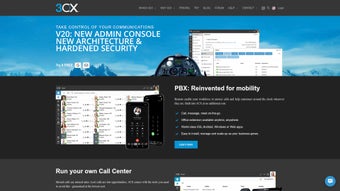

Download 3CX Phone System – Free VoIP Switchboard for Windows, Mac & Web
Transform your computer into a professional-grade VoIP switchboard with 3CX Phone System – a powerful, free communication software designed for small businesses and home offices. Whether you're replacing a traditional PBX or setting up a scalable telephony system, 3CX offers a seamless, secure, and feature-rich solution. With its intuitive web interface, you can manage calls, users, extensions, and call routing without needing specialized hardware.
The software supports Windows, Mac, Android, and iOS, making it ideal for hybrid and remote teams. It’s perfect for those seeking a modern, cost-effective alternative to expensive phone systems. From call recording and voicemail to advanced call flow management and integration with CRM tools, 3CX delivers enterprise-level functionality at no cost.
Simply install it on your computer, connect your SIP phones or softphones, and start making high-quality VoIP calls instantly.
Powerful VoIP Features for Modern Businesses
One of the standout reasons why 3CX Phone System is a top choice among small and medium-sized enterprises is its comprehensive feature set. The software goes beyond basic call handling by offering advanced telephony capabilities that rival paid enterprise solutions. You can create unlimited extensions, set up call queues, enable auto-attendants, and configure complex call routing rules based on time of day, caller ID, or department. This level of customization ensures your business communication remains professional and efficient, even as your team grows.
Another major advantage is the built-in call recording feature, which allows you to record calls for training, compliance, or quality assurance purposes. The system supports both manual and automatic recording, and recordings are stored securely in the cloud or on your local server. Additionally, 3CX offers robust voicemail to email functionality, so messages are instantly delivered to your inbox with audio attachments. For remote workers, the mobile app (available for Android and iOS) ensures you’re never out of reach, with full access to your extension, call history, and presence status.
Security is also a top priority. 3CX uses end-to-end encryption, secure SIP signaling, and two-factor authentication to protect your communications. The software is regularly updated to patch vulnerabilities and improve performance. With integration capabilities for popular tools like Microsoft Teams, Slack, Google Workspace, and CRM platforms such as Salesforce and HubSpot, 3CX becomes more than just a phone system – it’s a central hub for business communication. Whether you're managing a team of five or 500 employees, 3CX adapts to your needs with ease.
Easy Installation & User-Friendly Web Interface
Setting up 3CX Phone System is remarkably straightforward, even for users with minimal technical experience. The installation process begins with downloading the software from the official website. You’ll find versions available for Windows and Mac, with a web-based installer that guides you through each step. Once installed, the system automatically configures basic settings, and you can access the full admin panel through a secure web browser at https://your-server-ip:8080.
The web-based management interface is clean, responsive, and intuitive. From here, you can add users, assign extensions, set up call groups, configure voicemail, and manage permissions with just a few clicks. The dashboard provides real-time insights into call activity, system health, and user status, helping you monitor performance and troubleshoot issues quickly. For example, if a user’s phone isn’t ringing, you can check the status, restart the service, or reconfigure the SIP registration directly from the interface.
Adding SIP phones or softphones is simple. You can use Android or iOS apps, or connect physical IP phones from brands like Grandstream, Yealink, or Poly. Each device is registered via the web interface, and settings are automatically pushed to the device.
There’s no need to manually configure SIP accounts or port forwarding – 3CX handles NAT traversal and firewall setup automatically. This makes it ideal for remote teams or distributed workforces. Plus, the system supports auto-provisioning, so new devices can be deployed quickly across multiple locations without IT intervention.
Wide Compatibility & Flexible Deployment Options
One of the key strengths of 3CX Phone System is its cross-platform compatibility. It runs seamlessly on Windows and Mac operating systems, making it accessible to users across different environments. Whether you’re using a desktop, laptop, or server, 3CX adapts to your setup. For businesses that prefer cloud-based solutions, 3CX also offers a fully managed cloud-hosted option with no hardware required. This is ideal for companies that want to avoid on-premise maintenance and benefit from automatic updates and backups.
For those who prefer full control, the on-premise version allows you to host the system on your own server, ensuring data privacy and compliance with strict regulations. The software is also compatible with a wide range of SIP devices, including desktop phones, mobile apps, and softphones. You can use the 3CX Mobile App on Android and iOS to make and receive calls, access voicemail, and see team presence status from anywhere. The app supports push notifications, so you never miss an important call.
Additionally, 3CX supports integration with major cloud services. You can sync your contacts from Google Workspace or Microsoft 365, and even use your calendar to set availability status. This creates a unified communication experience across platforms. Whether you're working from the office, home, or on the go, 3CX ensures you stay connected with the same features and reliability.
Pros & Cons at a Glance
- Pros:
- Completely free for up to 100 users and 1000 calls per month (with optional paid upgrades)
- Intuitive web interface with drag-and-drop configuration
- Supports unlimited extensions, call queues, and auto-attendants
- Secure with end-to-end encryption and two-factor authentication
- Mobile apps for Android and iOS with full functionality
- Seamless integration with CRM, Teams, Slack, and Google Workspace
- Auto-provisioning for SIP phones and remote device management
- Cons:
- Requires a stable internet connection and VoIP provider (not included)
- Advanced features require a paid subscription for cloud hosting
- On-premise version needs a dedicated server or strong PC
- Initial setup may require minor network configuration (e.g., port forwarding)
- Customer support is limited in the free version (community-based)
Frequently Asked Questions (FAQ)
Is 3CX Phone System really free?
Yes, the core 3CX Phone System is completely free for up to 100 users and 1,000 monthly calls. This makes it ideal for small businesses and startups. However, advanced features like cloud hosting, additional users, and premium support require a paid subscription.
Can I use 3CX on Mac and Windows?
Absolutely. 3CX is fully compatible with both Windows and Mac operating systems. You can install the software on your desktop or laptop to run your own PBX system locally.
Do I need special hardware to use 3CX?
No, you don’t need special hardware. You can use standard computers with a microphone and headphones. However, for better call quality, you can connect SIP phones or use softphones on your mobile devices.
Is 3CX secure for business use?
Yes, 3CX prioritizes security with end-to-end encryption, secure SIP signaling, two-factor authentication, and regular updates. It’s suitable for businesses handling sensitive information.
Can I use 3CX with my existing VoIP provider?
Yes, 3CX supports integration with most VoIP providers. You can connect your SIP trunk from providers like Twilio, Bandwidth, or VoIP.ms to route calls through your 3CX system.
Final Verdict: A Smart Choice for Modern Communication
After thorough testing and evaluation, 3CX Phone System stands out as one of the most powerful and cost-effective VoIP solutions available today. Its free tier offers enterprise-level features without the high price tag, making it perfect for startups, remote teams, and small businesses. The intuitive web interface, strong security, and cross-platform compatibility ensure a smooth user experience across devices.
If you’re looking to replace a traditional phone system or enhance your communication workflow, download 3CX Phone System today and experience the future of business calling. Whether you're managing a home office or scaling a growing team, 3CX gives you the tools to stay connected, secure, and efficient. Start your free trial now and take the first step toward smarter, smarter communication.
Download 3CX Phone System – Free, Secure, and Built for the Future







